

Creating Custom Editors in Theia
A custom editor is a widget that opens automatically when the user opens a file with a specific extension, instead of the default text editor. It usually consists of three parts:
- The widget, which extends
BaseWidgetand implementsNavigatableto associate itself with a file URI - An open handler, which tells Theia when to use the widget (based on file extension) and how to pass the URI to it
- A widget contribution, which registers the widget and its commands with the workbench
There are also other ways to create custom editors, but this approach generally provides the best user experience and integration with Theia's features.
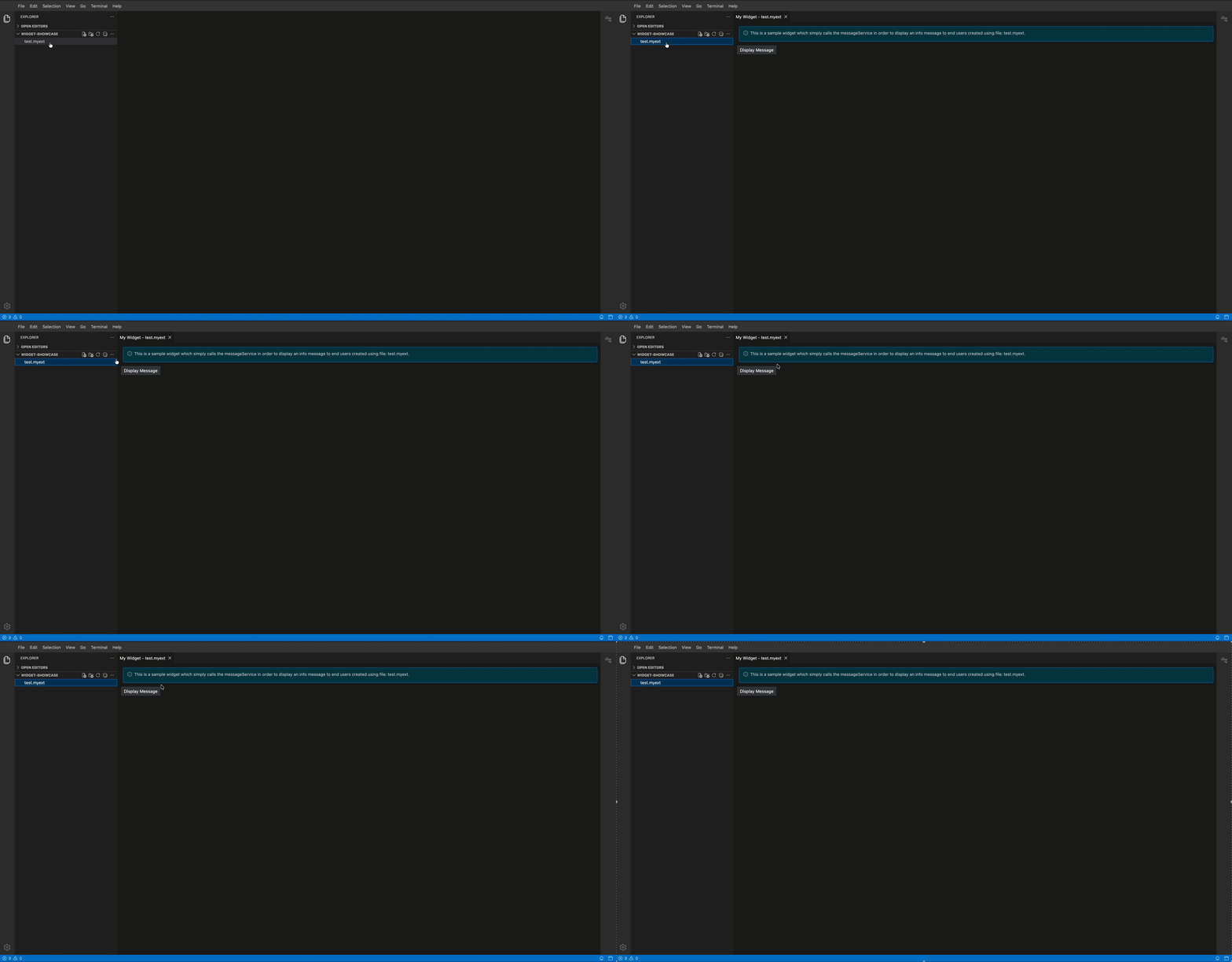
Implementing the Widget
A custom editor must extend the BaseWidget and implement the Navigatable interface (see Contributing a Widget). This links the widget's tab to its file URI, enabling features like "close others" and dirty state tracking. Using the ReactWidget is usually recommended for complex editors.
The widget receives its file path via an options object injected by the widget factory. A dedicated Symbol is used as the InversifyJS token for the options.
my-widget.tsx
export const MyWidgetOptions = Symbol('MyWidgetOptions');
export interface MyWidgetOptions extends NavigatableWidgetOptions {
    filePath: string;
}

@injectable()
export class MyWidget extends ReactWidget implements Navigatable {
    static readonly ID    = 'my:widget';
    static readonly LABEL = 'My Widget';

    @inject(MyWidgetOptions)
    protected readonly options: MyWidgetOptions;

    protected currentUri: URI;

    getResourceUri(): URI | undefined { return this.currentUri; }

    createMoveToUri(resourceUri: URI): URI | undefined {
        return this.currentUri.withPath(resourceUri.path);
    }

    @postConstruct()
    protected init(): void {
        this.currentUri    = new URI(this.options.filePath);
        this.id            = `${MyWidget.ID}:${this.options.filePath}`;
        this.title.label   = this.currentUri.path.base;
        this.title.caption = MyWidget.LABEL;
        this.title.closable = true;
        this.node.tabIndex = 0;
        this.update();
    }

    protected render(): React.ReactNode {
        return <div>{/* custom UI here */}</div>;
    }
}
Implementing an Open Handler
The open handler extends NavigatableWidgetOpenHandler and overrides canHandle to claim URIs with the target file extension. Returning a higher priority number than the built-in text editor (which returns 1) ensures the custom widget is preferred.
my-open-handler.ts
@injectable()
export class MyOpenHandler extends NavigatableWidgetOpenHandler<MyWidget> {
    readonly id = MyWidget.ID;

    async canHandle(uri: URI): Promise<number> {
        return uri.path.ext.toLowerCase() === '.myext' ? 500 : 0;
    }

    protected override createWidgetOptions(uri: URI, options?: WidgetOpenerOptions): MyWidgetOptions {
        return {
            ...super.createWidgetOptions(uri, options),
            filePath: uri.path.toString()
        };
    }
}
Widget Contribution
The widget contribution follows the same pattern as for views (see Widget Contribution), using AbstractViewContribution with area: 'main' so the editor opens in the central area.
my-contribution.ts
export const MyWidgetCommand: Command = { id: 'my-widget:toggle' };

@injectable()
export class MyWidgetContribution extends AbstractViewContribution<MyWidget> {
    constructor() {
        super({
            widgetId: MyWidget.ID,
            widgetName: MyWidget.LABEL,
            defaultWidgetOptions: { area: 'main' },
            toggleCommandId: MyWidgetCommand.id
        });
    }

    registerCommands(commands: CommandRegistry): void {
        commands.registerCommand(MyWidgetCommand, {
            execute: () => super.openView({ activate: true })
        });
    }
}
Even though AbstractViewContribution can register a default toggle command, custom editors typically define their own command so execution consistently opens and focuses the editor. For a simpler use case, it is possible to simply call:
super.registerCommands(commands);Wiring in the Frontend Module
The widget factory can return any object that satisfies the widget interface — in the simplest case you could construct it directly with new. However, the recommended approach is to create a child InversifyJS container: this lets you bind MyWidgetOptions as a per-instance constant without polluting the global container, and more importantly allows other services to be injected into the widget automatically. The open handler is bound to the OpenHandler contribution point.
my-frontend-module.ts
export default new ContainerModule(bind => {
    bind(WidgetFactory).toDynamicValue(ctx => ({
        id: MyWidget.ID,
        createWidget: (options: MyWidgetOptions) => {
            const child = ctx.container.createChild();
            child.bind(MyWidget).toSelf();
            child.bind(MyWidgetOptions).toConstantValue(options);
            return child.get(MyWidget);
        }
    }));

    bindViewContribution(bind, MyWidgetContribution);

    bind(MyOpenHandler).toSelf().inSingletonScope();
    bind(OpenHandler).toService(MyOpenHandler);
});